

Sketch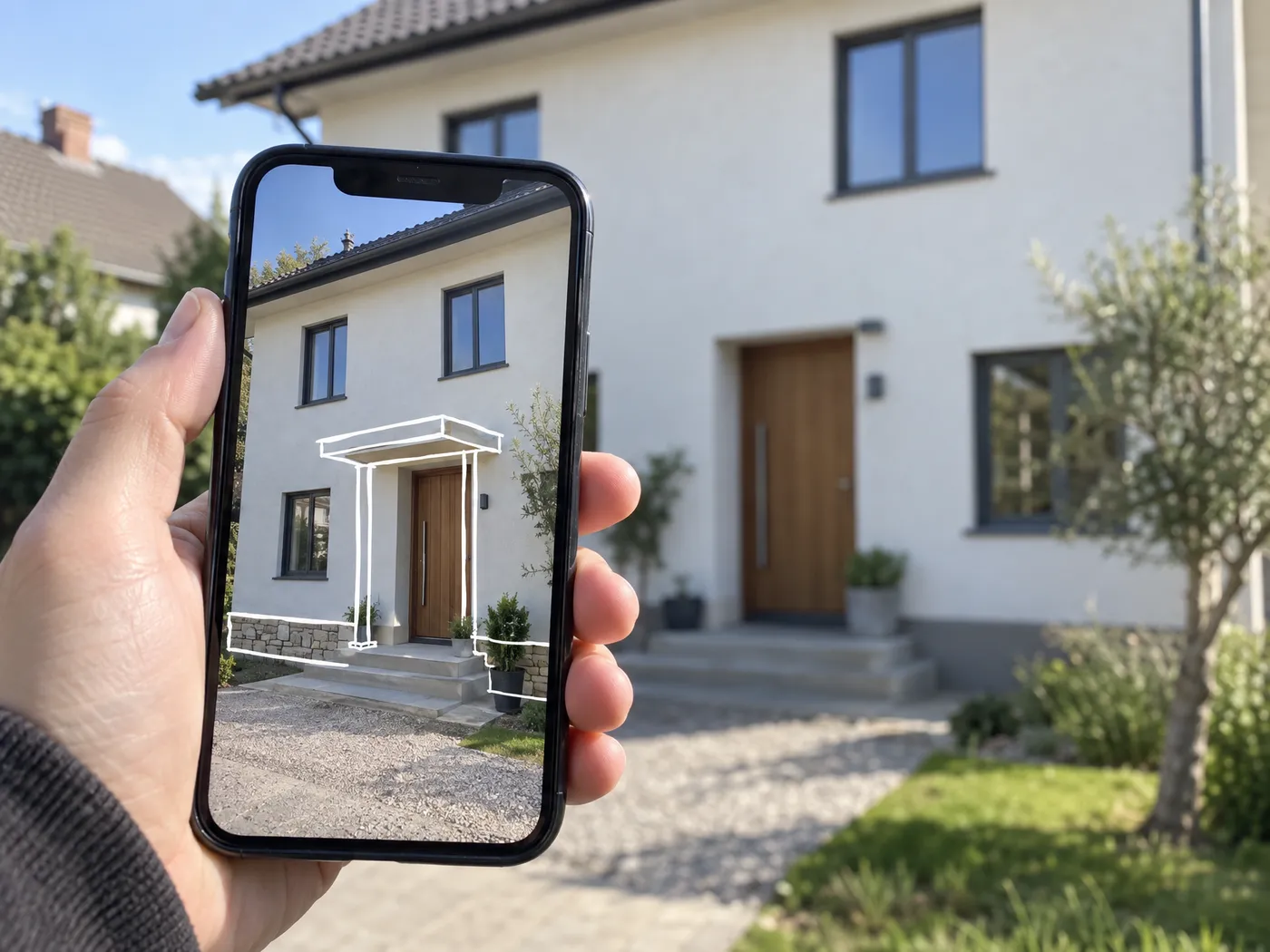
A finger sketch becomes a design
Draw on the photo where you want a canopy, a stone base or a new window. The sketch shows what to change and where, and the rest of the facade follows in the same style.

Your home’s new look starts with a photo.

Upload a photo of your house and try designs until you find the one. The design you pick comes with a materials and labor estimate and an album you can hand to your contractor.
Your first designs are free, no card needed
A few angles of your house go in. Design directions come back, you refine them in plain words, and the run ends with a costed estimate and a blueprint album.


Generation is sped up in this video, and one run can’t show every setting in the app.
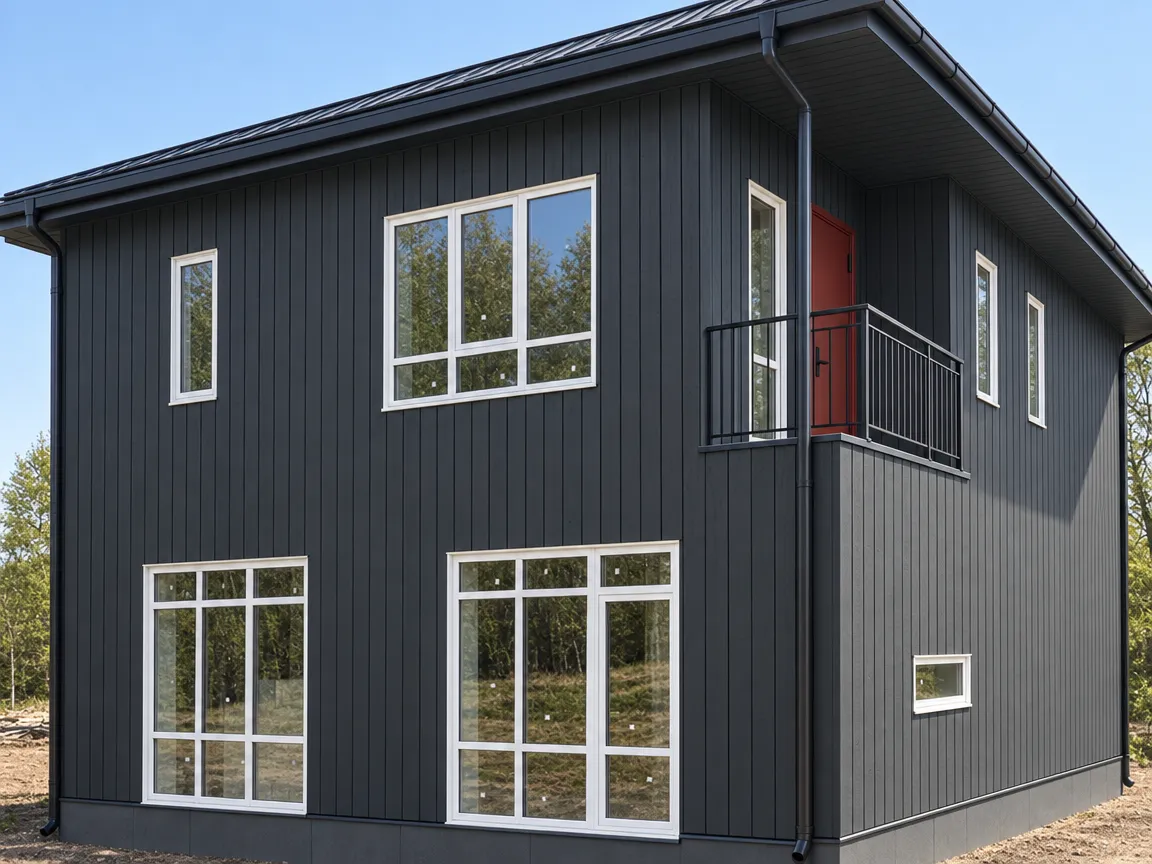
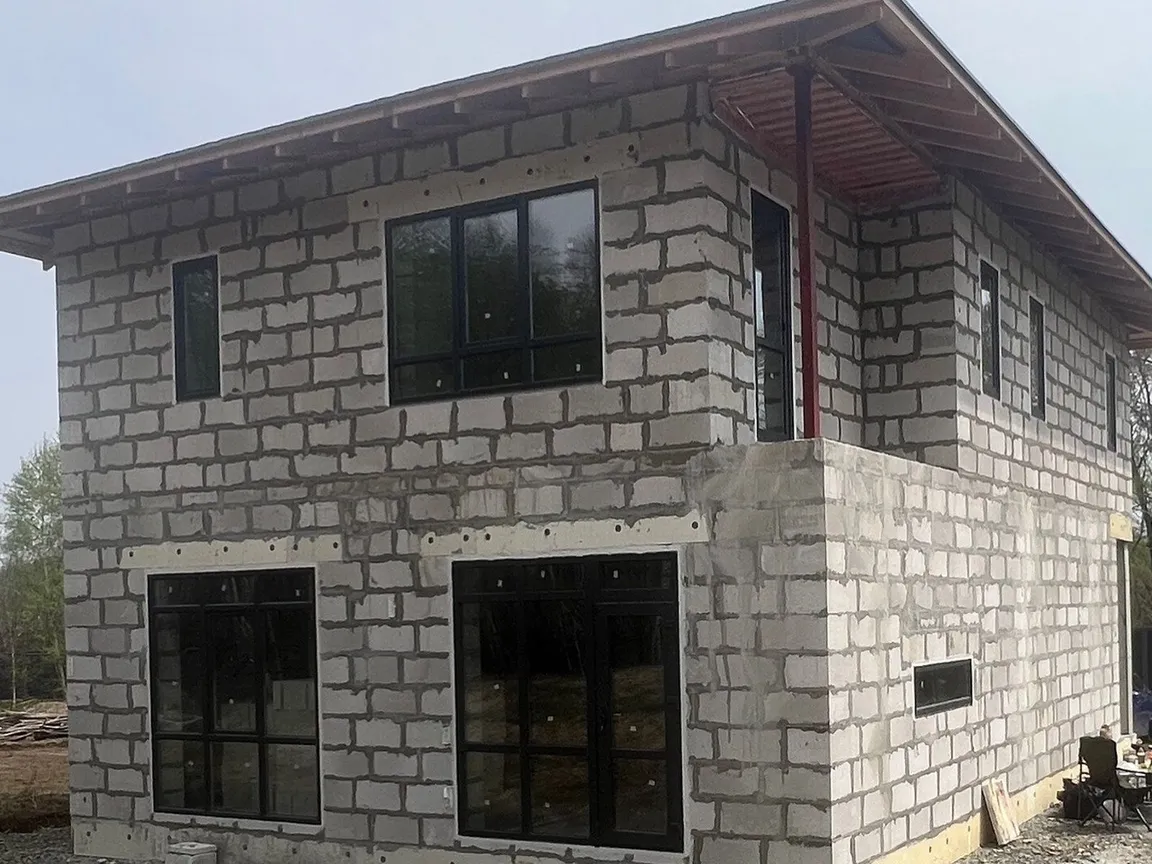
These are real GetFacade renders of one unfinished aerated concrete house. Switch between options and drag the slider to compare with the original photo.
Your first designs are free, no card needed
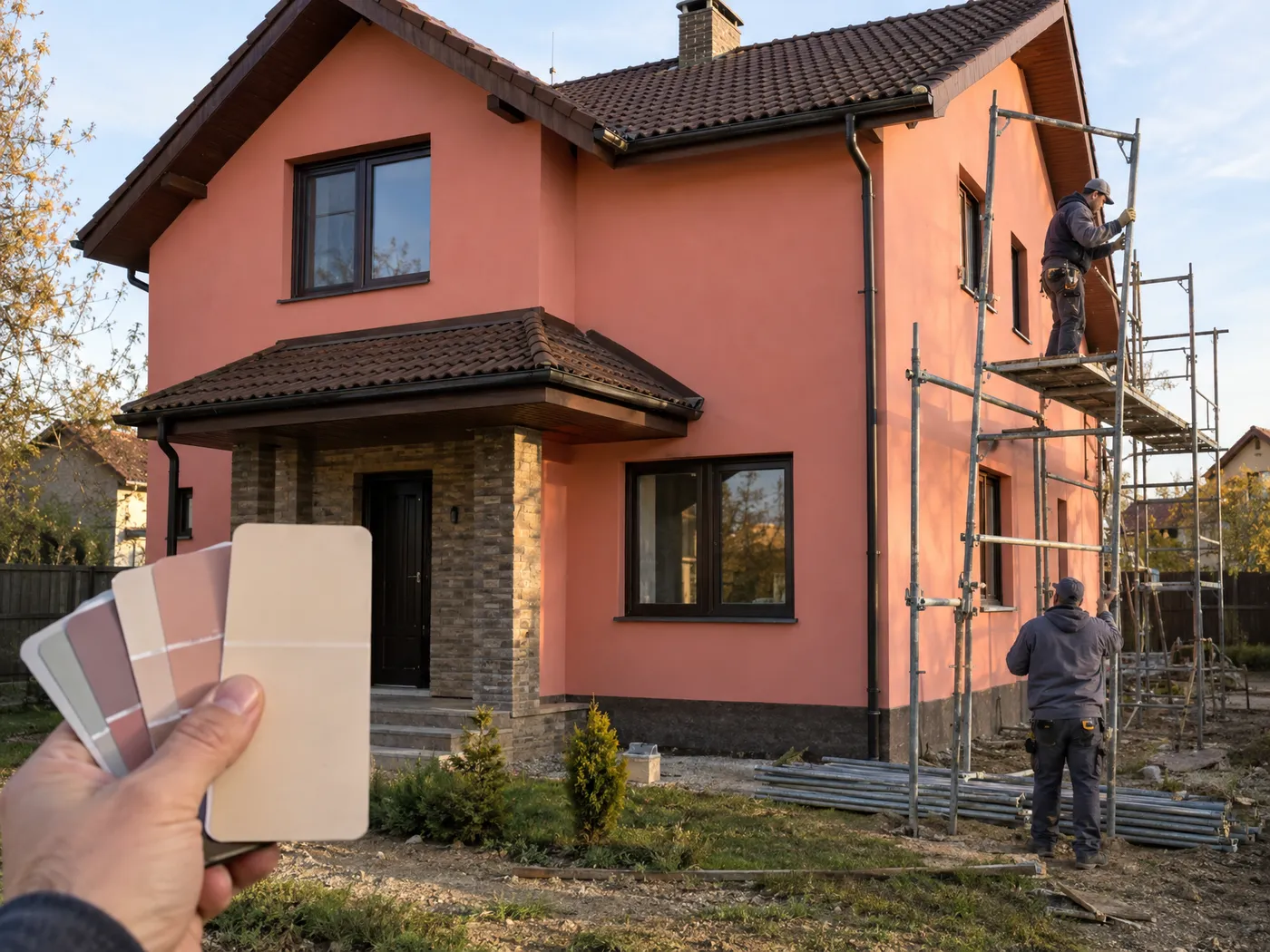
A facade is rarely redone: it takes time and money. So the big decisions are worth checking before the first purchase.
An idea in your head or a magazine photo meets different proportions, windows and roof. If that only shows on the finished wall, redoing it costs almost as much as new cladding.
A panel from a magazine or someone else's project may not be sold in your area. A last-minute swap changes both the look of the house and the estimate.
Without your own breakdown of materials and labor, it's hard to tell what the price includes and where you can save.
If the crew only has a picture, window reveals, sills and junctions get improvised on site. Whatever wasn't worked out on paper shows up on the wall.
Your first designs are free, no card needed
Draw on the photo where you want a canopy, a stone base or a new window. The sketch shows what to change and where, and the rest of the facade follows in the same style.
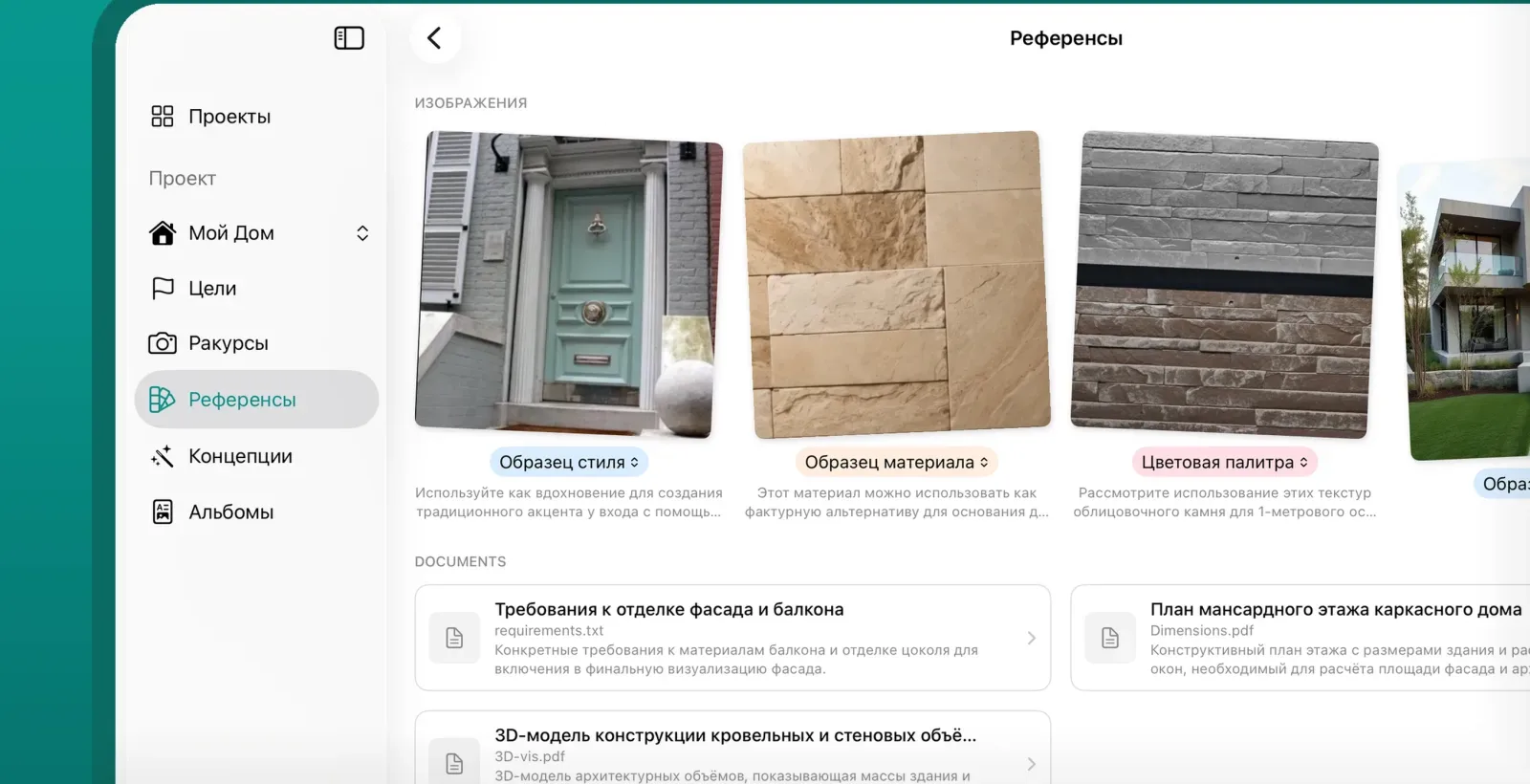
Love your neighbor's house or a picture from a mood board? Upload it as a reference, and its color, material or mood carries over to your house, true to its proportions.
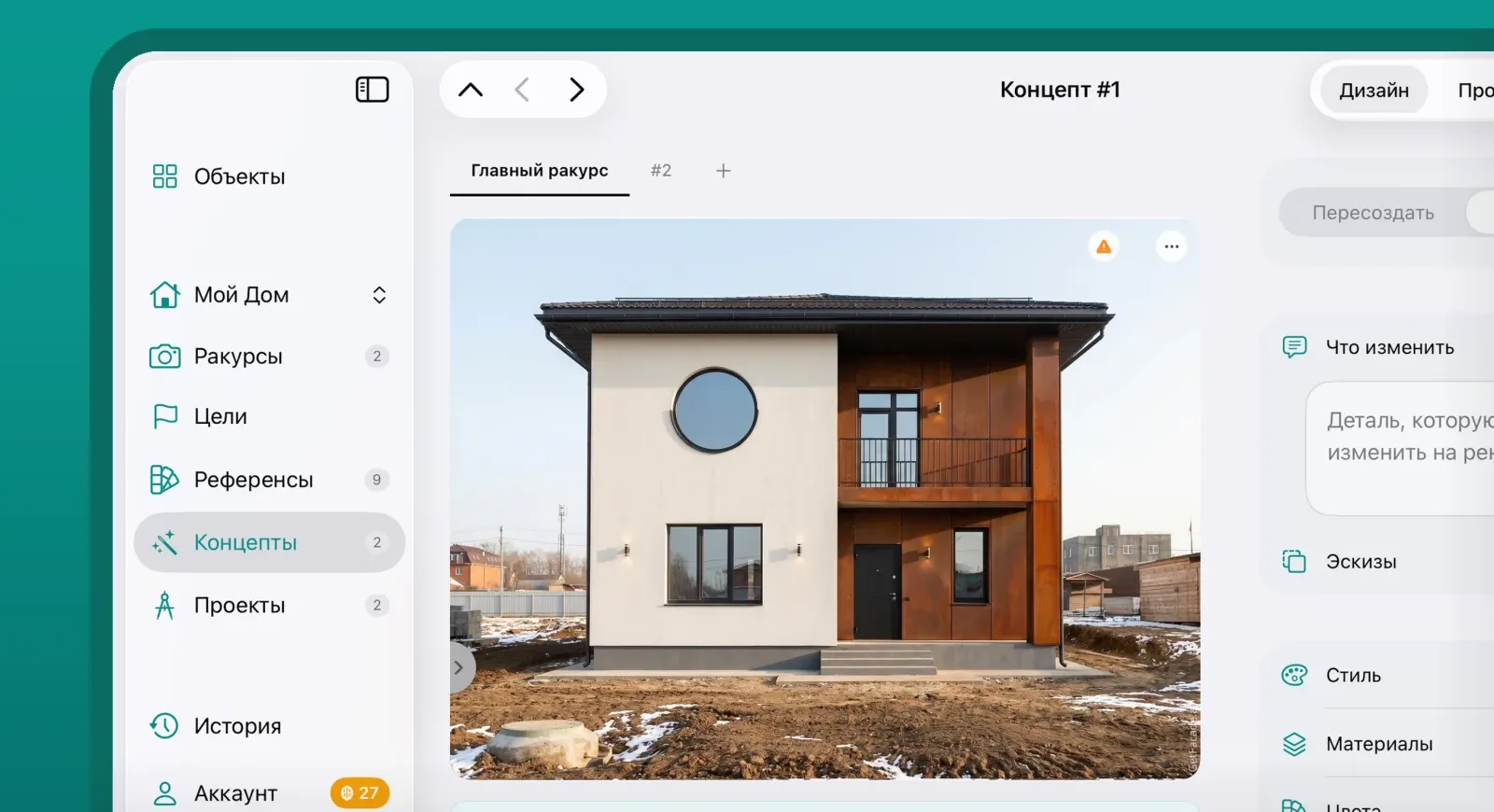
Add photos from the street, the backyard and the side. The design you choose carries over to every view, so you see the whole house.
You don’t have to take the first design. Change the look, the colors and the materials, detail by detail, until it’s the house you want to build.
Try colors for walls, trim, and accents from manufacturer fandecks or your own shades. The shade you pick keeps its name and product code, so you can take it straight to a dealer.
Modern, traditional, craftsman, contemporary: compare the same house in different styles side by side until one feels like home.
Describe a change in plain words, like “add stone to the base, lose the shutters.” Not sure where to start? The app suggests a few moves for your house.
While you’re still thinking, look at the design as a hand-drawn sketch: fewer details, and the idea stays clear. Once you’ve decided, sharpen it into a photoreal render.
Your first designs are free, no card needed
Manufacturer catalog
The catalog holds siding lines and exterior paint fandecks from the brands used to build in your country. Choose a brand, a line or one specific shade, see it on your own facade, and carry the exact product into your specification, album and estimate.
Siding
Exterior paint
Colors and products
Product lines
Certain of the brand but not the shade? Select the brand alone. Already decided on Mastic Carvedwood 44®, Modern Iron? Specify it exactly. Any level in between works, and siding and paint can run together.
Shades come from the manufacturers’ own fandecks and stay true, so what you approve on screen is what arrives on site.
Brand, line, color name and code carry through to the PDF album, specification and estimate.
Brand, line and product names are trademarks of their respective owners. GetFacade is an independent tool and is not affiliated with these manufacturers.
Your first designs are free, no card needed
Who made it
More than 900 facades taken through to construction: what can be sourced in season, what a crew can install, what it comes to on the estimate. That experience shapes how the app reads your house, so the design holds up in front of a contractor and the estimate stays close to the final price.
See the studio’s workOne payment per house, with no subscription and no expiry. It gets you unlimited designs, plus estimates and albums.
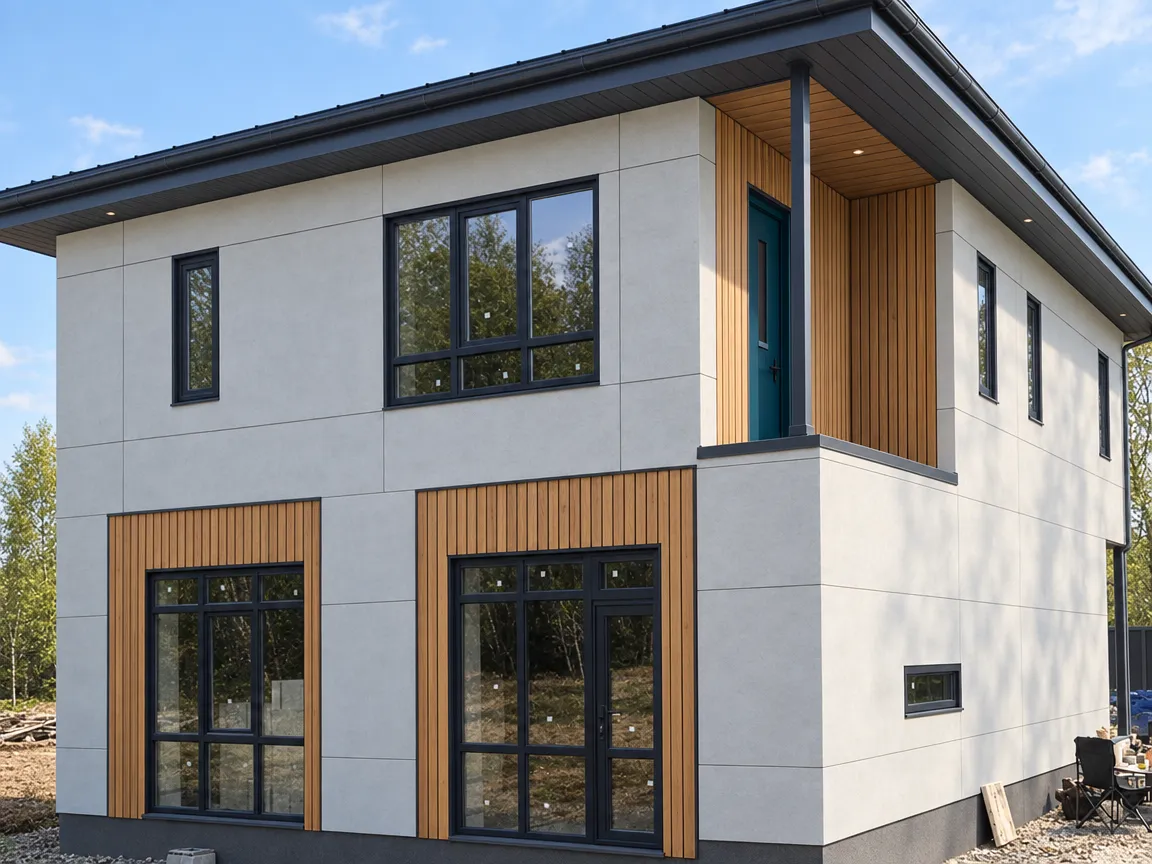
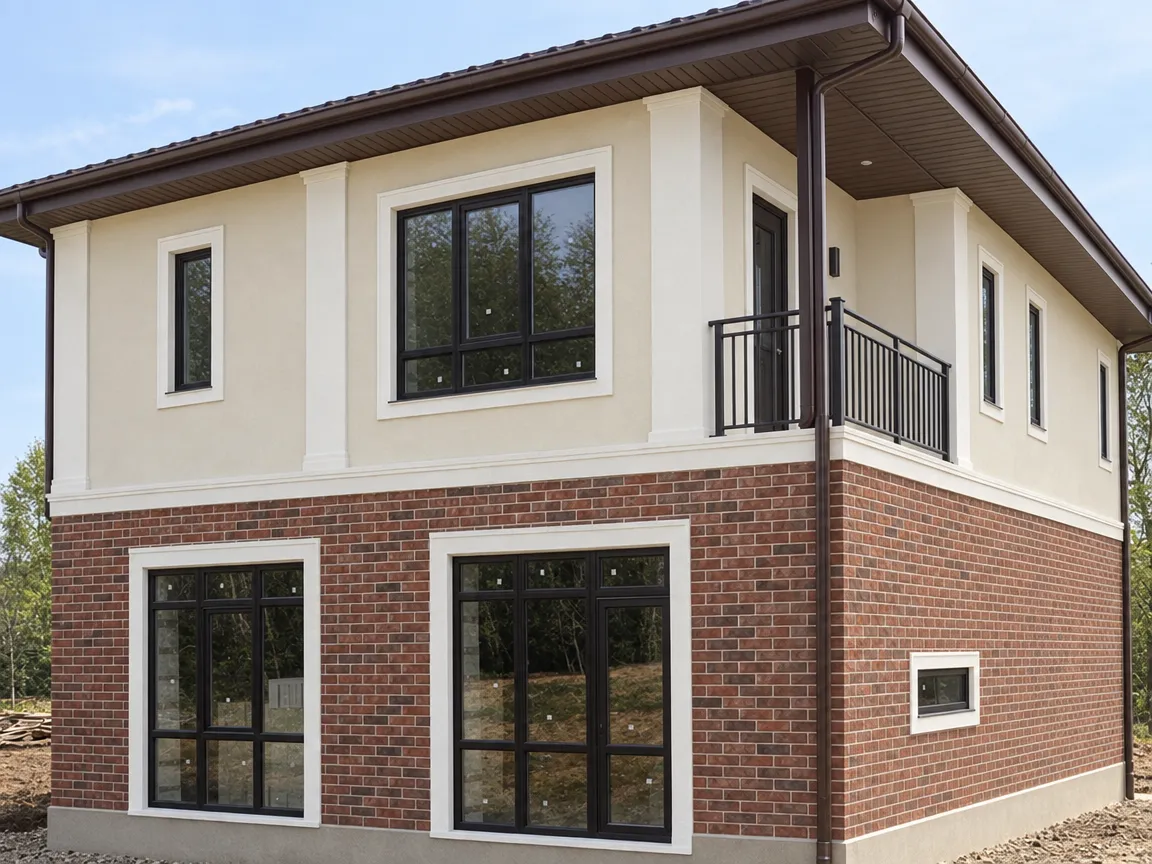
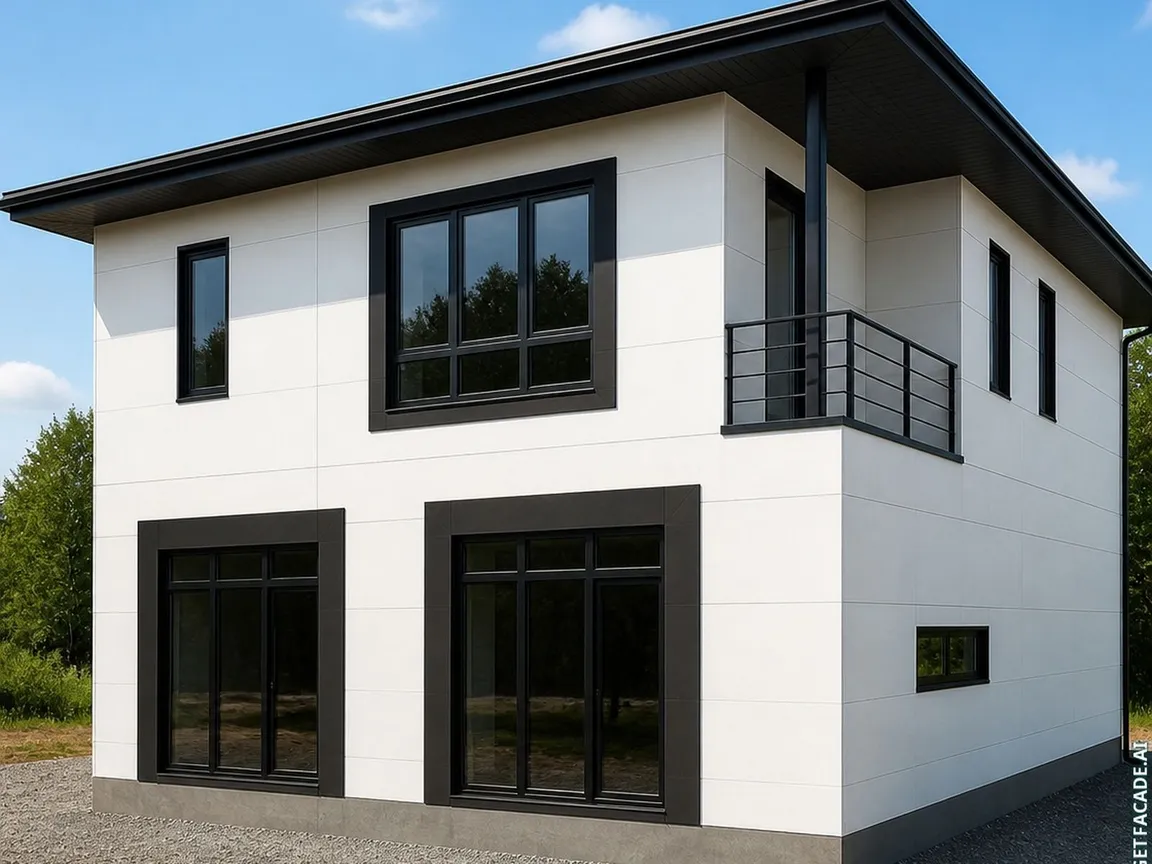
Try styles, materials and colors as much as you like, on every side of the house: street, backyard, side. Renders are unlimited, and your house stays yours with no time limit.
| Materials | $29,130 | |
|---|---|---|
| Housewrap weather-resistive barrier, including overlap allowance | 2,131 ft² | $2,131 |
| Döcke Intensiv Planken Q2.4 PSPP-1086 Graphite or locally available equivalent vertical engineered-wood board siding, including 15% cutting waste | 2,027 ft² | $4,054 |
| Sherwin-Williams or equivalent exterior graphite siding paint, two-coat allowance | 10.6 gal | $1,685 |
| White-frame insulated vinyl replacement window units, mixed sizes, seven openings | 7 | $4,550 |
| Synthetic roofing underlayment with laps and waste | 1,722 ft² | $1,722 |
| Labor | $32,070 | |
| Install vertical graphite board siding | 1,762 ft² | $5,286 |
| Prime and apply two exterior finish coats to siding | 1,762 ft² | $1,762 |
| Set, flash, foam, and seal replacement windows | 7 | $2,450 |
| Install underlayment, black metal roof panels, ridge, and flashings | 1,561 ft² | $3,122 |
43 more lines in the full estimate
Works take about 27 days
A real estimate built by GetFacade for the graphite wood cladding option from the demo. Any line can be edited in the app.
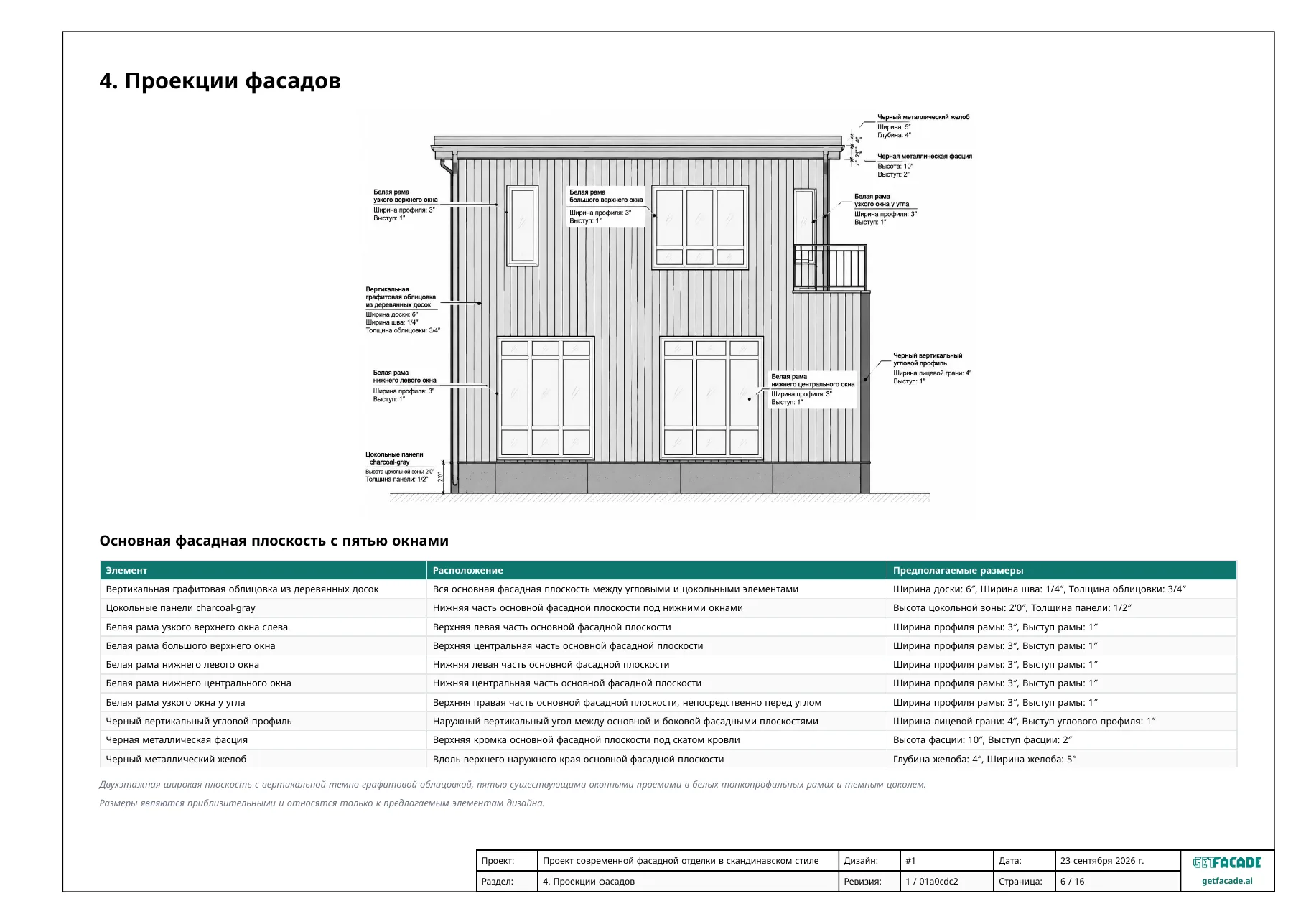
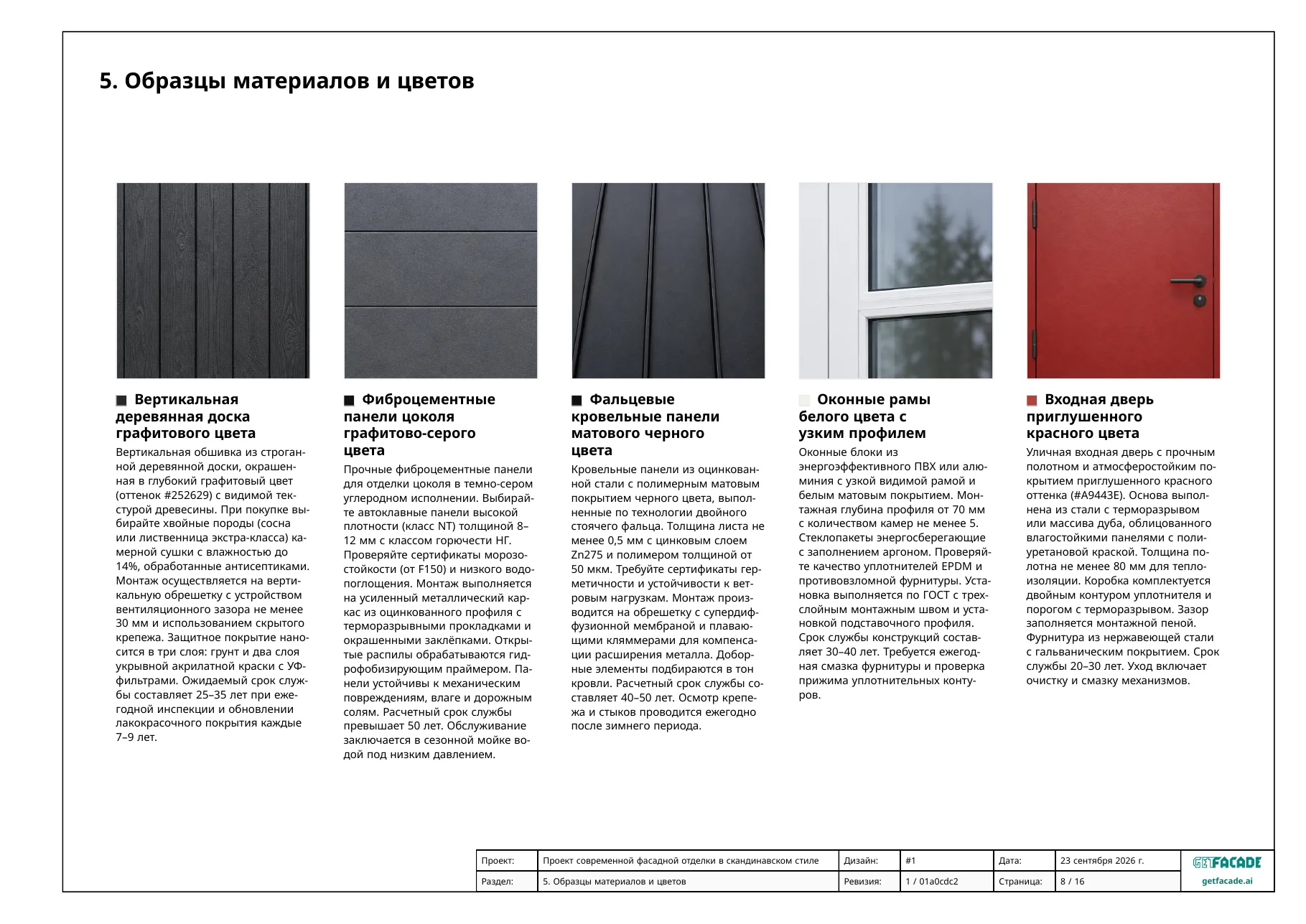
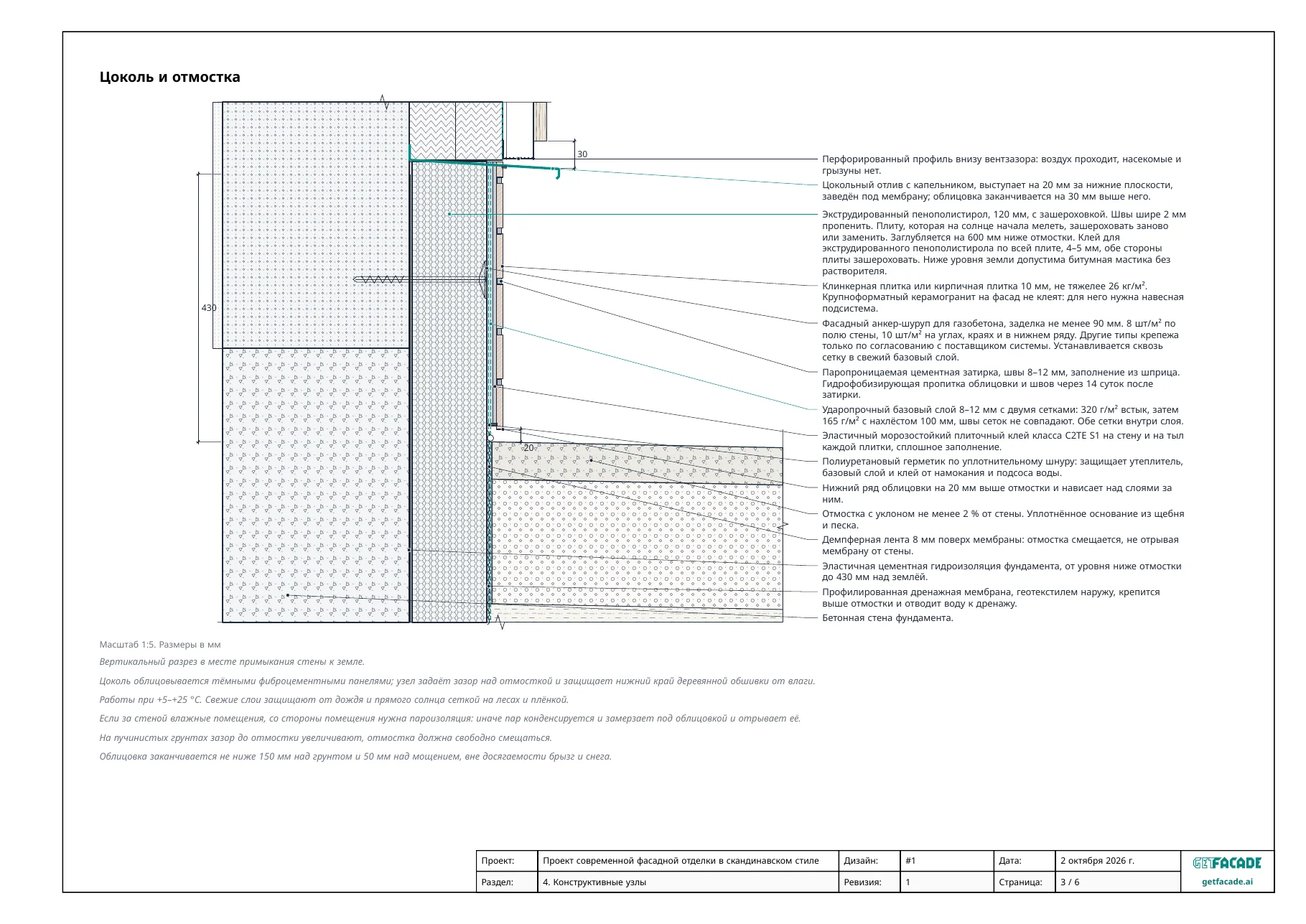
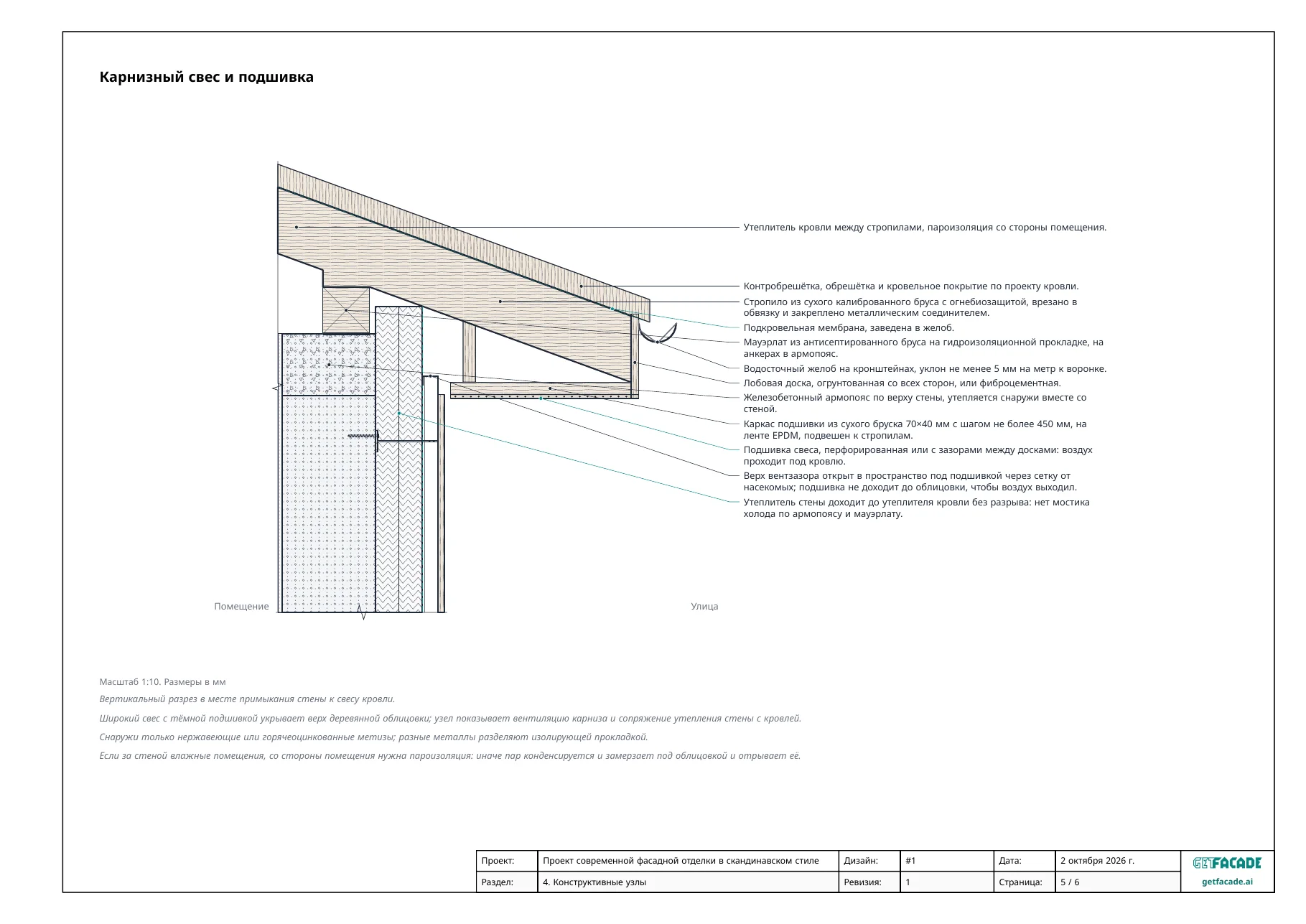
Visualizations, a materials spec with brands and codes, details and sections, safety recommendations and references to building codes. The crew knows right away what to build.
Facade Kit: one payment per house, no subscription
Your first designs are free, no card needed. Facade Kit is a one-time payment per house that unlocks unlimited designs of that house, with no subscription and no expiry. If you'd rather pay as you go, you can buy tokens.
Yes: in a browser on your computer, and on iPhone, iPad, Mac and Android. One account opens your houses on every device.
Change the design as much as you need: with words, a sketch or a reference. The first options are free, so you can see how it works on your house first.
Start free. Then top up tokens, unlock one building with a one-time payment, or subscribe.
From idea to estimate and blueprints
One payment · One building, unlimited · Yours forever
Other options
No credit card needed
Enough for your first designs.
Yearly $299.00 · Save 36%
For contractors
Monthly subscription, cancel anytime
Purchase in the app. Pricing may vary by platform and region.
Photograph your facade today, and by evening you'll have options to choose materials with and talk to your crew.
Your first designs are free, no card needed
Everything you need to know before your first design.
Still have a question?
Ask your questionUpload a photo of your house and examples of homes you like, and describe what you’d like to change. Blueprints, measurements and close-ups of facade details make the result more precise, but they’re optional. Then fine-tune materials, colors and details yourself, or leave them to the app.
Concept generation typically takes 1–2 minutes, and a complete design album with estimate and blueprints can take 10–15 minutes. These are typical ranges. Actual times can be longer depending on the size of your building, how much information you provide, and how much you explore and refine along the way, so that every requirement and constraint is handled properly.
A clear daytime photo that shows the whole front of the house. Trees, cars and other things in the frame are fine, there’s no need to clear the yard first. Architectural renders and hand-drawn sketches work too.
Houses, apartment buildings, commercial buildings and historic structures. A single-family home, a multi-story block, a shop at street level: the app reads the geometry and suggests options that fit.
Yes. Pick the color on your own photo and see how the shade sits on your wall in your light, rather than on a swatch. Colors come from manufacturer fan decks sold in your country, so the shade you choose has a name and a product code you can take to a dealer.
Yes. A design link opens without an account on the recipient’s side and doesn’t expire, so you can simply forward it. High-resolution images and documents export separately, for project proposals and permit applications.
The Facade Kit is a one-time purchase for one building, with no subscription and no expiry. It unlocks the full path for that home: unlimited design variations for every side of the house, a print-ready design album, a materials and labor estimate, and blueprints and specs for your contractor.
Your photos and buildings are visible only to you. Your data isn’t shared with third parties, and you can delete your buildings and your account at any time. Details are in the Privacy Policy.
The design follows your building’s real proportions and stays within what a contractor can source and install. It’s meant for planning and for handing to your contractor; junction details and final dimensions are confirmed by the builder on site.
Yes. GetFacade works whether you’re renovating an existing home or building new. Upload a photo of the site or a render of your planned house, describe what you’re going for, and you’ll get design options, a materials and labor estimate, and blueprints, exactly as you would for a renovation.